With Lenti
A simple, non-technical UI on top of GitHub, designed for AI collaboration.
Problem solved
An interface built for engineers.
GitHub's interface is designed for technical teams, and it blocks adoption outside engineering.
Your engineers already work in GitHub. Lenti brings the rest of your teams in, with the AI they already use. Projects, Context and skills are shared, governed and stored in your repo.
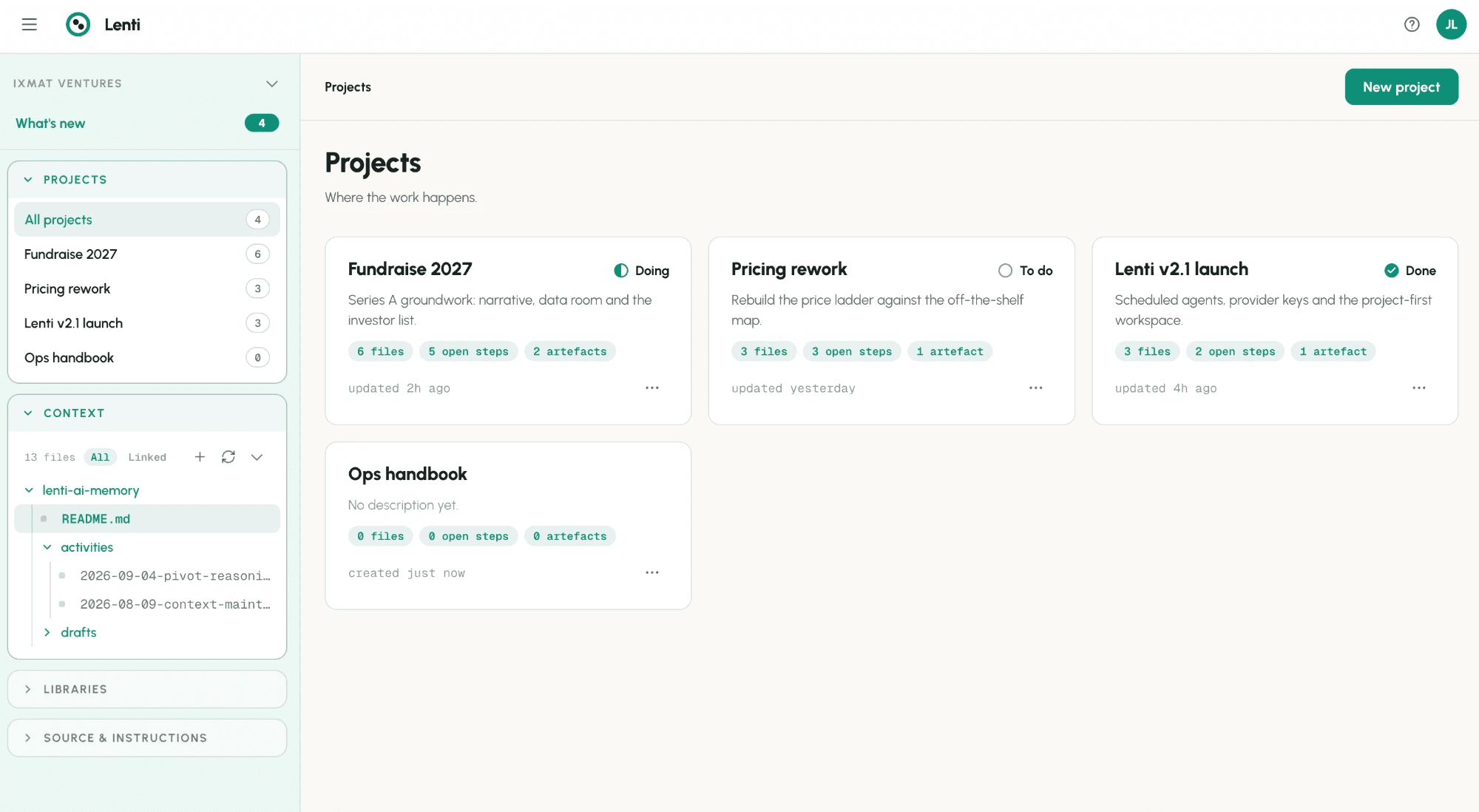
GitHub is the natural habitat of AI. It gives you unparalleled control and ownership over your data, your Context and your skills. Lenti lets all your teams adopt it through a non-technical UI, independently.
A simple, non-technical UI on top of GitHub, designed for AI collaboration.
GitHub's interface is designed for technical teams, and it blocks adoption outside engineering.
A dedicated interface for granting granular access, from a single PAT.
Opening GitHub to the rest of the organisation hands engineering the access rights of every department.
Everything lives in your repo, every team reaches what it needs through a UI built for it, and usage shows you what really matters.
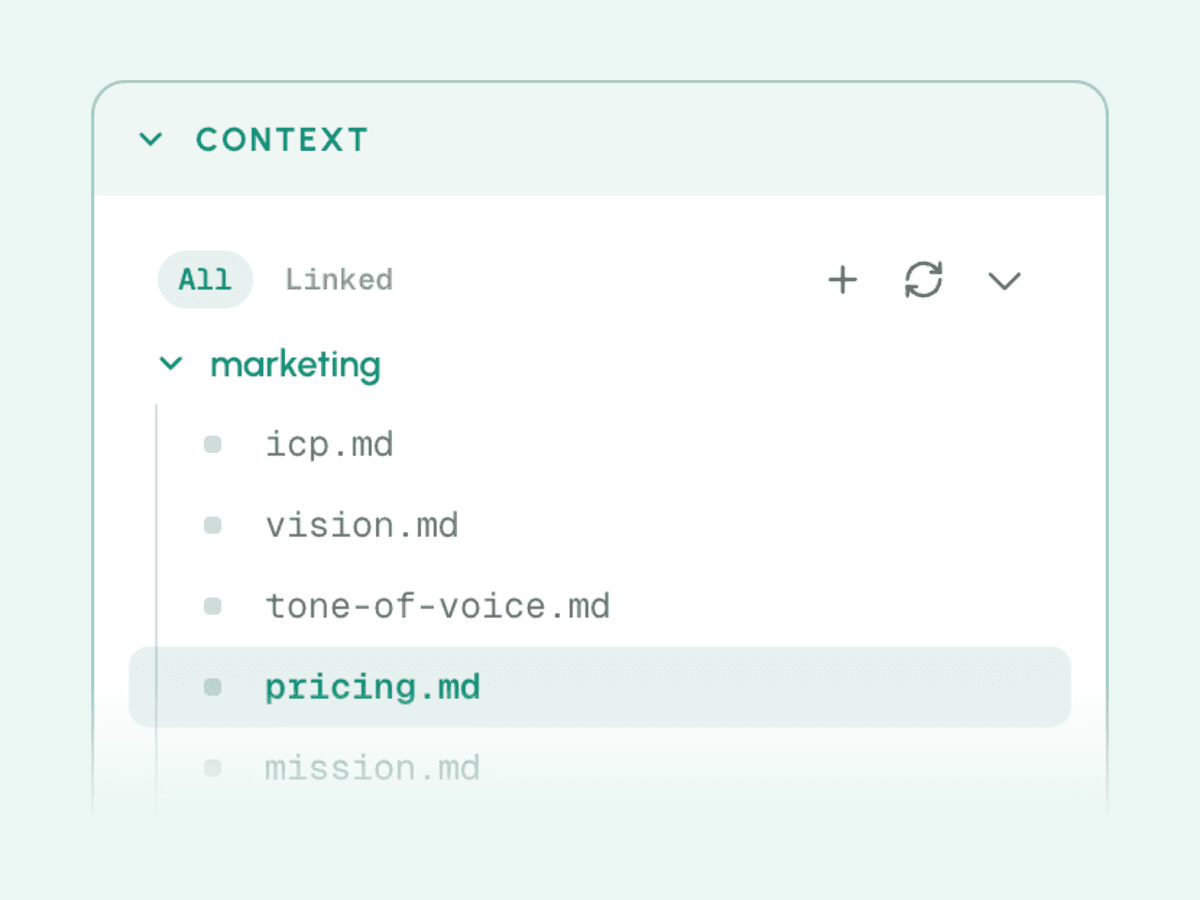
Every team and every AI works from the same files: your decisions, research, playbooks and deliverables. Your non-technical teams read, edit and comment in a simple interface, while everything stays as markdown in your own GitHub repo, versioned and owned by you. Your technical teams keep a single source of truth they already know how to secure and back up.
Context is scattered and locked in one-to-one AI chats. And with a traditional vendor, your data, context and skills are locked in its proprietary databases, hard to retrieve and near-impossible to use anywhere else. With Lenti, everything is saved in your GitHub, in folders you can access at any time, including outside Lenti.
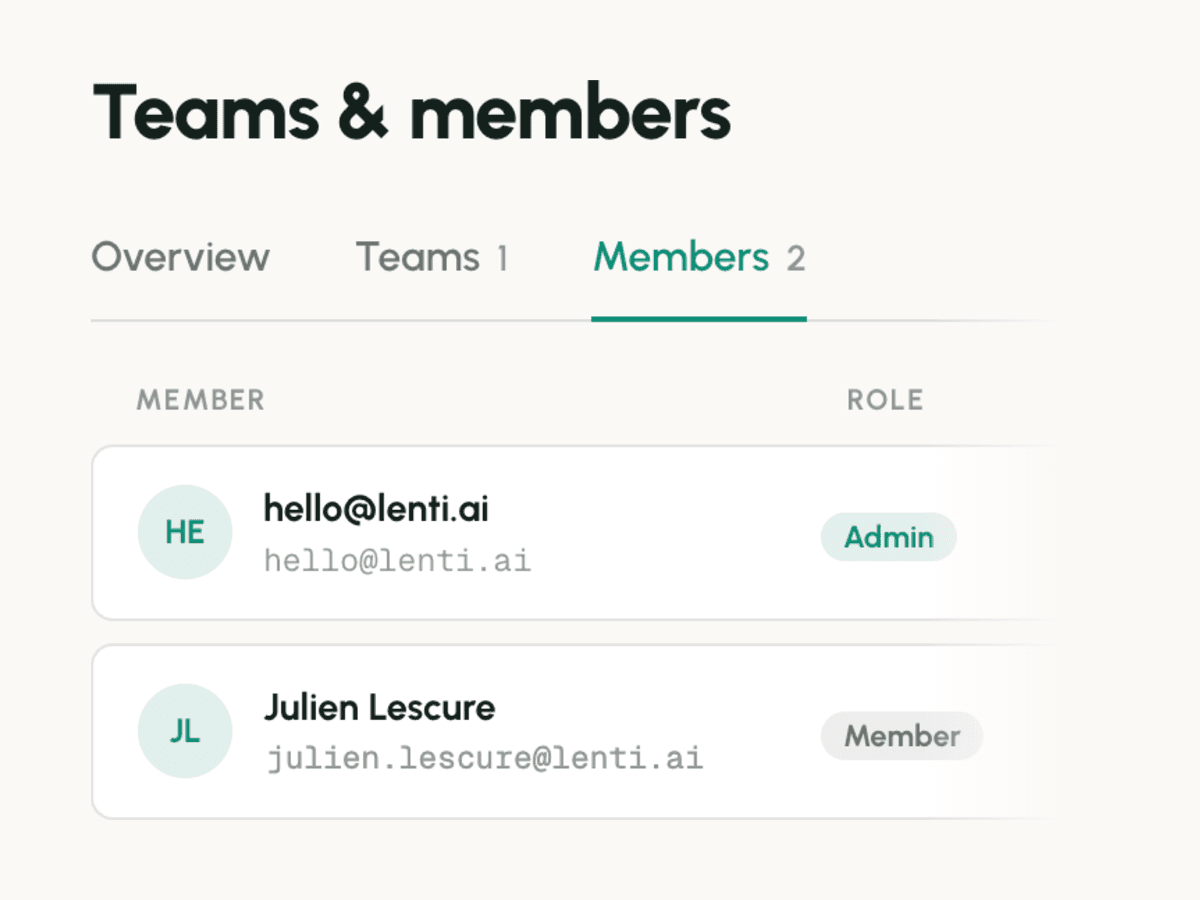
Your technical teams connect GitHub once, and access for everyone else is managed in Lenti. Each team gets exactly the folders it needs, in read or write, and its members inherit those rights. You have a single token to monitor, renew or revoke, instead of one GitHub account and one set of permissions per person.
Giving a non-technical team access to GitHub means creating accounts, paying for seats and setting permissions person by person, a job that falls on your technical teams. GitHub sets rights per repo, so giving someone access to a folder means giving them the whole repo.
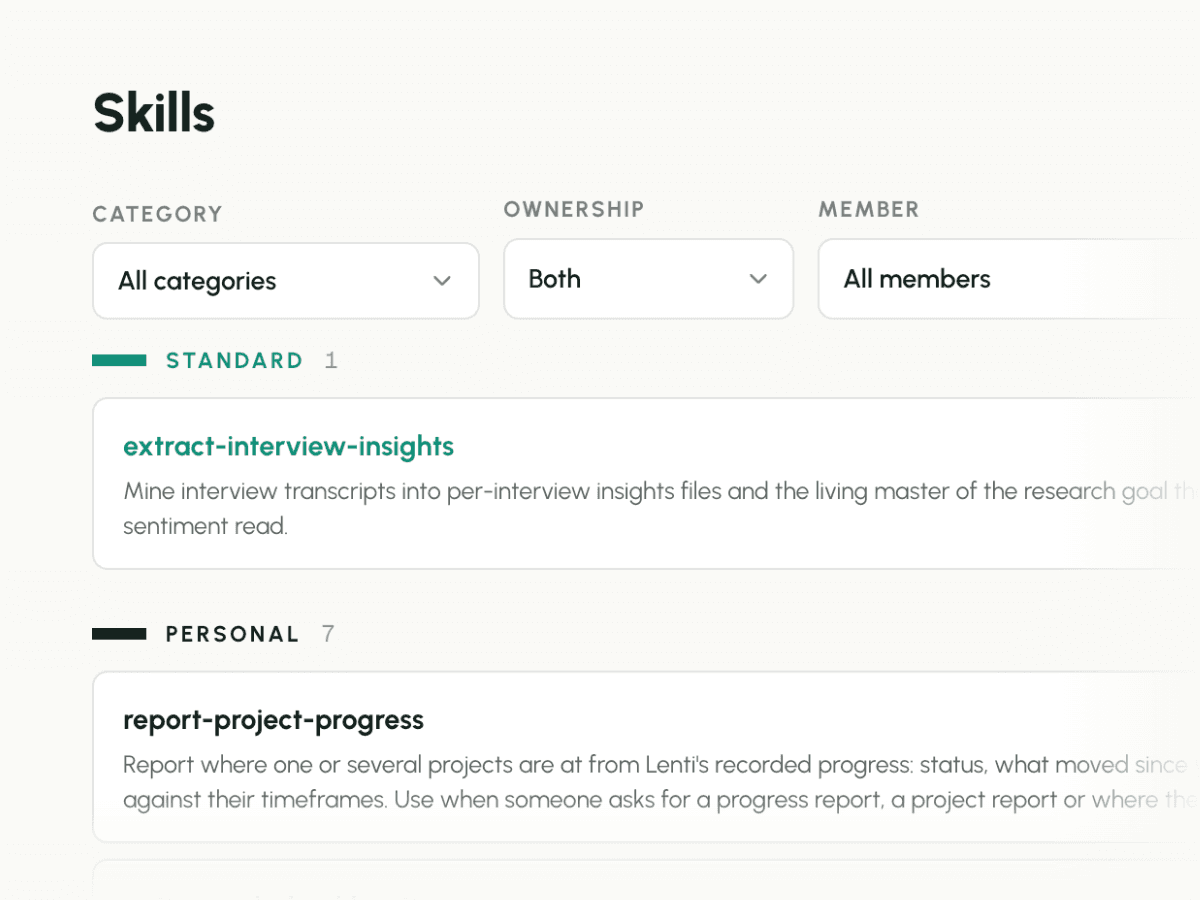
All your skills sit in a single library in your repo, instead of being scattered across each person's chats and AI settings. Categories group them by team, function or use, and decide who sees what, so your sales skills reach sales and your finance skills reach finance. Your AI loads the right skill from the library when it needs it, so every team works from the current version.
Outsourcing your skills library to a single AI vendor is risky, and maintaining several native libraries across several AIs is inefficient. If you already host your skills in GitHub, seeing which ones are used most isn't obvious, and your managers have no way to manage by usage, the model that is proving itself for surfacing and promoting your best ways of working.
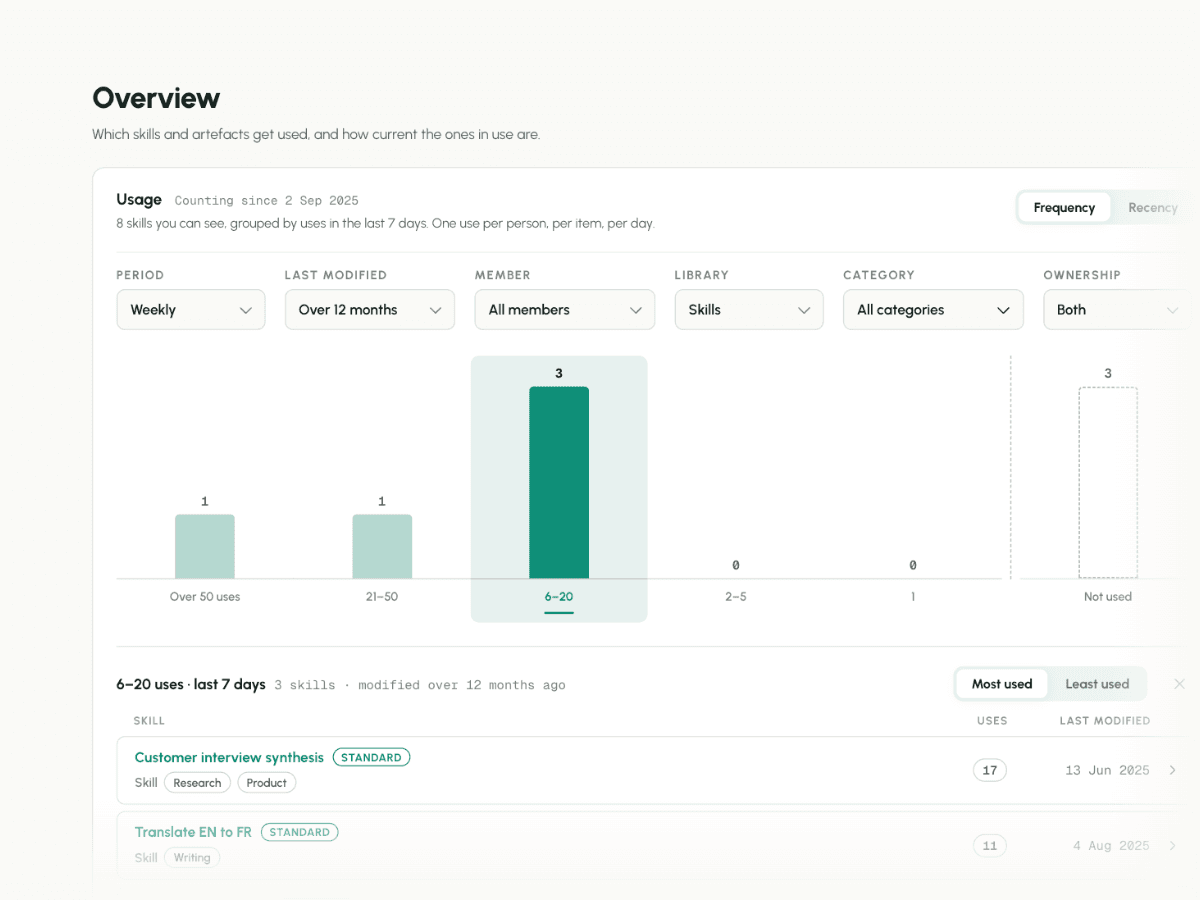
Usage shows you which files and skills your teams and their AI actually rely on. What nobody uses is easy to spot and retire, so your AI stops working from stale material. The personal skills your colleagues adopt become standard for everyone, and the best ways of working spread across teams instead of staying with their author.
Context piles up, and your AI reads a file last updated a year ago with the same confidence as one written this morning. Good skills stay in one person's space while the shared library fills up with skills nobody uses.
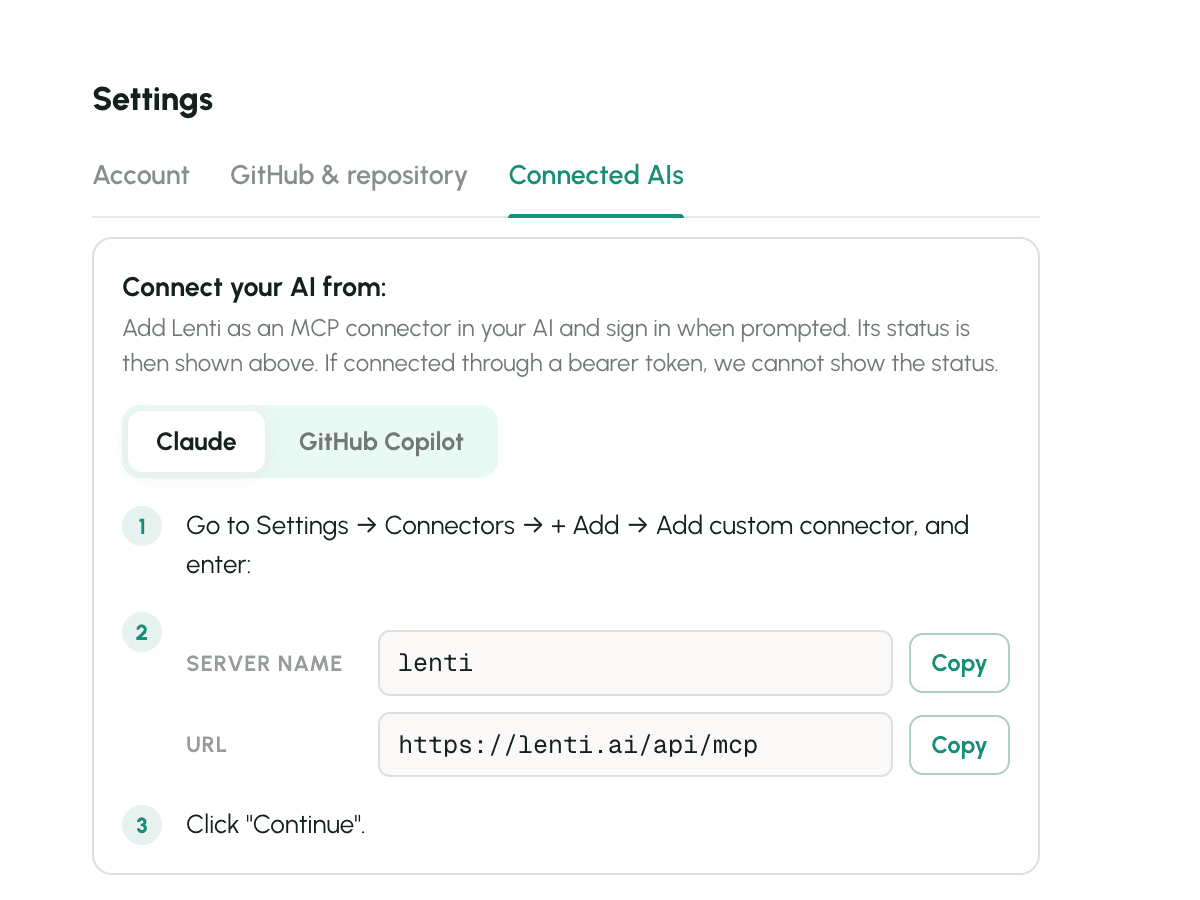
Your teams keep working in the AI they already use, whether Claude, ChatGPT, Grok or any other MCP client, with no new AI to adopt. Your context and skills live in your repo, not with an AI vendor, so changing model or tool later costs nothing: you connect the new one, and it reads the same memory.
Every AI vendor wants your context inside its own product, in projects, memories and custom instructions that don't move with you. The more you invest in one vendor, the harder it becomes to switch when a better model comes out.
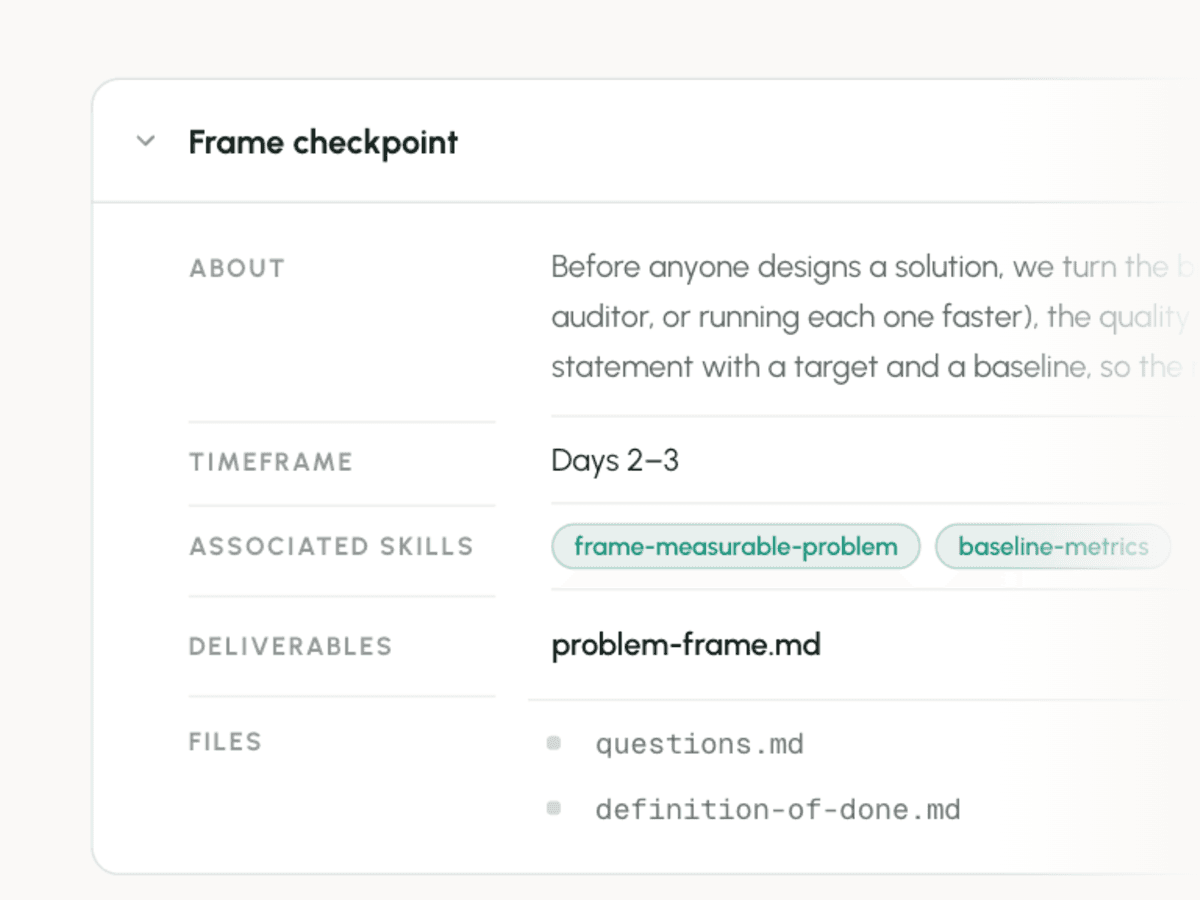
Every activity runs on the skills that define how it's done, so the same activity produces the same kind of deliverable, whoever runs it and whichever AI they use. Progress rolls up from deliverables to activities to the project, so you see where a project stands without having to ask. A skill that reliably produces a deliverable in session is also one you can later hand to an agent.
Project management tools are built to be updated by hand, while more and more of the work happens in AI chats they never see. Deliverables vary from one person to the next, and reporting means chasing everyone for their status.
Get in touch to get free access to Lenti. We review beta requests one by one.